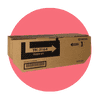
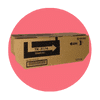
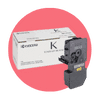
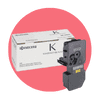
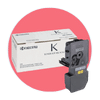
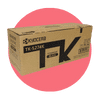
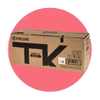
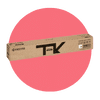
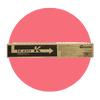
CartridgesDirect stocks genuine and compatible toner cartridges for the full Kyocera range: ECOSYS desktop and compact multifunction models and TASKalfa workgroup and enterprise devices. Both genuine Kyocera toner and compatible alternatives are listed on every product page, with TK cartridge numbers and page yield figures so you can find the right toner for your exact model.
Kyocera printers work differently from almost every other laser brand. The drum stays inside the printer and is never replaced as a consumable. You replace only the toner. This is the core of the ECOSYS architecture and it changes the cost and maintenance picture significantly compared to printers where drum replacement is a recurring cost. The Finder tool confirms the correct TK number for your model in seconds.
Stocked orders placed before 2PM dispatch the same day. Free shipping on eligible orders over $75.
Toner Only. The Drum Stays in the Printer.
Every other laser printer brand in this guide replaces the drum at some point. On Brother and Lexmark printers, the drum is a separate consumable with its own replacement cycle. On most HP LaserJet and Canon imageCLASS models, the drum is integrated into the toner cartridge and discarded with it at every replacement. On Kyocera ECOSYS and TASKalfa printers, the drum never leaves the machine.
Kyocera introduced this architecture in 1991 with the first ECOSYS printer, built on the company’s ceramics technology expertise. The imaging drum is made from amorphous silicon, a material far harder than the organic photoconductors used in conventional laser printers. On high-volume enterprise ECOSYS models, that drum is rated to last 600,000 pages. On compact desktop models, 100,000 pages or the life of the machine is typical. A business that replaces a standard laser printer every five years may never change a Kyocera drum at all.
When you order Kyocera toner, you are ordering toner only. No drum cost to factor in, no separate drum purchase to remember, no quarterly maintenance exercise where drum and toner are replaced together. The cartridge itself has fewer components than a standard integrated toner-and-drum unit. Kyocera’s own figures put the component count at four parts for a Kyocera toner cassette versus approximately 60 for a competitor’s integrated cartridge.
The choice between genuine and compatible toner is more nuanced on Kyocera than on most other brands, for one specific reason: genuine Kyocera toner contains super-fine ceramic particles that polish the amorphous silicon drum on every print cycle, keeping the drum surface in condition as it ages. The drum and the toner are designed as a system. Compatible toner is formulated to match Kyocera’s TK specifications and page yield standards, but it uses a different toner chemistry that does not replicate the ceramic polishing function.
In practice, this does not mean compatible toner damages Kyocera drums outright. Millions of pages of compatible toner are printed on Kyocera printers in Australia every year without issue. But it does mean the question of genuine versus compatible deserves a slightly different answer on a Kyocera than it does on an HP or Brother. For offices running high print volumes on a Kyocera that they intend to keep for ten or more years, genuine toner maintains the drum at its designed specification across that full lifecycle. For offices with moderate print volumes or a shorter equipment cycle, compatible toner delivers the same page count at 40 to 60 percent lower cost per cartridge, and the drum will likely outlast the printer regardless of which toner you use.
Genuine Kyocera toner: manufactured by Kyocera, formulated with ceramic particles, maintains drum condition, tested to Kyocera’s ISO yield standards. Best for high-volume environments, long equipment lifecycles, and offices where lowest total cost of ownership over the full machine life is the priority.
Compatible Kyocera toner: manufactured to TK specification and ISO yield standard by independent suppliers. 40 to 60 percent lower cost per cartridge. Best for moderate print volumes, shorter equipment cycles, or offices where upfront cost per page is the priority over long-run drum longevity.
Under Australian Consumer Law, using compatible consumables does not automatically void your printer warranty. Kyocera would need to demonstrate that the compatible toner caused the specific fault being claimed before a warranty claim could be refused. CartridgesDirect has stocked compatible Kyocera toner for Australian businesses since 2006.
Does It Mean?
This is one of the most common questions from Kyocera users switching to compatible toner for the first time. When a compatible cartridge is installed, most Kyocera ECOSYS and TASKalfa printers display a message along the lines of “non-genuine toner detected” or “This toner is not a Kyocera original product”. The printer has detected a cartridge whose chip is not verified as genuine Kyocera.
In almost all cases, this is a notification, not a block. The printer is informing you of the cartridge type, not refusing to print. On most ECOSYS models, pressing OK or Confirm on the printer’s control panel dismisses the message and printing continues normally. Some models require the confirmation to be repeated each time the printer is powered on.
This is fundamentally different from HP+ printers (which permanently block compatible toner regardless of confirmation) or Lexmark printers where Return Program firmware updates can block third-party supplies entirely. Kyocera’s message is a disclosure, not a lock.
Kyocera identifies its toner cartridges by TK numbers. The TK code is printed on the label of your current cartridge and listed in the printer’s consumables status menu. TK numbers are model-specific and do not carry across between seemingly similar printers. The TK-1154 and the TK-1174 are both mono toner for Kyocera ECOSYS compact printers, but they are not interchangeable. The TK-1154 fits the ECOSYS P2235 and M2135 series; the TK-1174 fits the M2040dn. Getting this wrong means a return, a delay, and a printer that sits idle.
These are the most commonly ordered Kyocera TK numbers through CartridgesDirect in Australia:
For all other Kyocera models, use the Finder tool to confirm the correct TK number by printer model. Match the TK code exactly. Regional variants of some Kyocera models use different TK numbers for the same printer sold in different markets, so confirming against the TK code on your current cartridge is more reliable than searching by model name alone.
Both ECOSYS and TASKalfa printers use Kyocera’s toner-only replacement architecture. The drum stays in the machine on both ranges. The practical difference is scale and format.
If you’re unsure which range your printer belongs to, look at the model name on the front panel. ECOSYS models carry “ECOSYS” in the product name. TASKalfa models carry “TASKalfa”. Both are confirmed by the Finder tool when you enter the full model number.
The ECOSYS architecture’s cost advantage over conventional laser printers is well-documented in Australian case studies. ComfortDelGro Cabcharge, a transport company operating across Australia, recorded a 40 percent reduction in total monthly printing and copying expenses after switching their fleet to Kyocera. The long-life drum, combined with toner-only replacement, removed recurring drum costs from their consumable budget entirely.
For a typical small office running a mid-volume Kyocera mono model like the ECOSYS M3145dn, the economics look like this: the TK-3164 toner yields approximately 12,500 pages at a cost per page well below most comparable mono laser toners. A compatible TK-3164 at 40 to 60 percent below genuine pricing pushes that cost per page lower still. At 500 pages per week, an office goes through roughly two TK-3164 cartridges per year. The gap between genuine and compatible at that volume is a real number, not a marginal one.
Against inkjet the gap is wider still. A comparable inkjet multifunction printing 500 pages per week burns through far more frequent, more expensive cartridge replacements at a higher cost per page. Mono laser printing from a Kyocera ECOSYS is one of the lowest cost-per-page options available for text document printing in the Australian market.
Lexmark organises toner by printer series. MS and MX models use mono toner, while CS and CX models use four-colour toner sets. The part number is printed on your current toner cartridge label and appears in the printer's supply status menu. Common MS/MX431 toner part numbers are 55B1H00, rated for 15,000 pages at high yield, and 55B1X00, rated for 20,000 pages at extra high yield. For all models, use the Finder tool to confirm the exact toner and imaging unit numbers for your device, including whether Return Program or Regular cartridges have been used previously.
Return Program cartridges are sold at a lower price with a single-use licence. The chip stops the cartridge working once the rated yield is reached, and some Return Program cartridges also update the printer's firmware to block third-party supplies in future. Regular cartridges, also called Corporate cartridges, carry no single-use restriction and no firmware that blocks compatible options, though they cost more upfront. If you plan to use compatible toner in future, confirm your printer has only used Regular or compatible cartridges. Contact us on live chat if you are unsure which cartridge type your printer has had installed.
Check the part number on your current toner cartridge, or print a configuration page from the printer's settings menu, which lists all installed consumable part numbers and their remaining yields. Alternatively, enter your printer model into the Finder tool and it returns the confirmed toner and imaging unit for your device, with yield and pricing for genuine and compatible options. Lexmark model names can look similar across the MS, MX, CS and CX ranges, so confirming against your exact model number avoids ordering the wrong toner family.
On most Lexmark MS, MX, CS and CX models, the toner cartridge and imaging unit are separate consumables. The toner cartridge holds the toner powder. The imaging unit holds the photosensitive drum that transfers the image to paper, and it has a much longer life than the toner cartridge. On the MS431 range, the imaging unit is rated to approximately 40,000 pages and the extra-high-yield toner to 20,000 pages. Replace toner when the printer prompts you and the imaging unit separately once it reaches end of life, since the printer tracks both independently.
Compatible Lexmark toner is available for printers that have only used Regular, non-return, cartridges or compatible toner previously. If your printer has had Lexmark Return Program cartridges installed and the cartridge has updated the printer's firmware, compatible toner may not be recognised. Under Australian Consumer Law, using compatible consumables does not automatically void your printer warranty on printers that support them. If you are unsure whether your printer has had Return Program cartridges installed, contact us on live chat before ordering compatible toner for your model.
For offices printing over 200 pages per week, high yield or extra high yield almost always delivers a better cost per page than standard. The MS/MX431 extra-high-yield toner at 20,000 pages costs more upfront than the high-yield at 15,000, but the per-page cost is lower again. For offices printing over 500 pages per week, extra high yield is the strongest option on cost-per-page economics. Divide the cartridge price by the ISO yield on the product listing to compare all three tiers before ordering, since Lexmark's three-tier structure is broader than most brands and the extra-high-yield figure often changes the outcome meaningfully.
Unison Toner is Lexmark's proprietary toner formulation used across the MS, MX, CS and CX ranges since 2012. Its main practical difference from conventional toner is shake-free behaviour: Unison maintains consistent toner flow throughout the cartridge's rated life, so output quality does not fade as the cartridge empties and there is no need to remove and shake the cartridge to extend its use. An independent life cycle study commissioned by Lexmark in 2012 found Unison cartridges carried up to a 46 percent smaller per-page carbon footprint than Lexmark's then-largest competitor, measured across the full product lifecycle.
CartridgesDirect stocks toner for a range of current and older Lexmark models, particularly through the compatible toner range. Genuine Lexmark toner for older models is typically discontinued once Lexmark withdraws support, but compatible alternatives continue to be manufactured for models still running in Australian offices. Use the Finder tool to check availability for your model, and if you are outfitting a mixed-brand office, our HP ink cartridges page covers the same current and legacy model support. Older Lexmark MS and MX series models with Optra or E-series predecessors are also supported through some compatible ranges. If your model does not appear, our team is available on live chat to confirm what is in stock.
Start with the basics: remove the cartridge, reseat it firmly and power-cycle the printer, since most recognition errors clear on a restart. If the error persists, check two things. First, confirm the part number on the cartridge matches what your printer model takes. Second, if you installed compatible toner and the printer has previously had Lexmark Return Program cartridges installed, the Return Program firmware update may be blocking the compatible cartridge. On printers where this has occurred, genuine Lexmark Regular or Return Program toner is the option that will work. Contact us on live chat with your printer model and the toner part number and we will help you identify the cause.
CartridgesDirect is a Cartridges 4 Planet Ark partner. A free postage-paid recycling satchel is included with every eligible cartridge order. Collect a minimum of eight empty cartridges, seal the satchel and drop it at any Australia Post roadside mailbox. Cartridges are returned to and processed by Close The Loop, who strip and recycle the materials. Lexmark also operates its own Lexmark Cartridge Collection Program for genuine Lexmark supplies, which is separate from the Planet Ark satchel, with participation instructions available on the Lexmark Australia website. CartridgesDirect's recycling satchel covers both genuine and compatible cartridges where eligible.


 Service Call
 Managed Print